Webinar branding is the practice of applying your brand's identity – its logo, colours, typography, tone and messaging – consistently across every stage of a webinar, from the registration page through to the follow-up email. Done well, it turns a one-off broadcast into a recognisable extension of your brand: it builds trust with attendees, makes your events feel professional rather than improvised, and helps every session reinforce the one before it.
This guide breaks webinar branding down touchpoint by touchpoint – what to brand before, during and after the event, how to do it on the major platforms, and how to keep a consistent look across a whole series.
Table of contents
- What is webinar branding?
- Why webinar branding matters
- The key elements to brand in a webinar
- How to brand your webinar on different platforms
- Keeping your branding consistent across a series
- Your webinar branding checklist
- Frequently asked questions
What is webinar branding?
Webinar branding means customising every visual and interactive touchpoint of your webinar – registration pages, invitation emails, slides, speaker backgrounds, on-screen graphics, polls and post-event pages – so they all reflect one consistent brand identity.
It runs across three stages:
- Before the event – registration and landing pages, invitation and reminder emails, and social promotion.
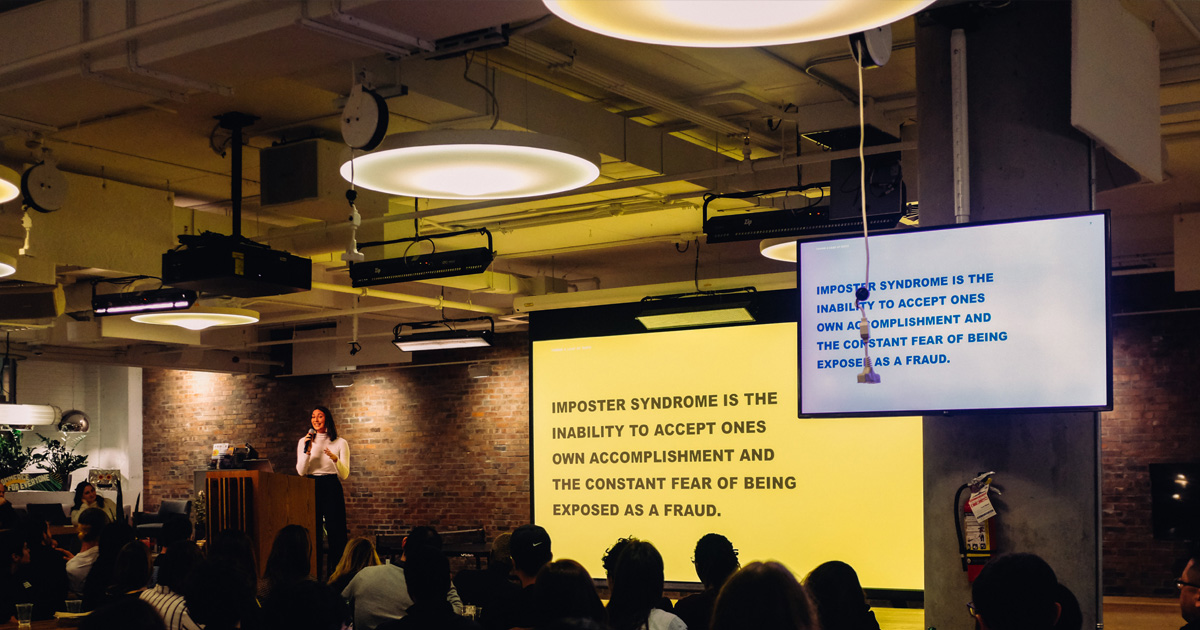
- During the event – the live room itself: backgrounds and wallpapers, speaker name tags, slides, lower thirds, and branded polls and chat.
- After the event – thank-you emails, on-demand recording pages, and content repurposed for other channels.
The goal is simple: whichever touchpoint an attendee sees first, it should look unmistakably like you.
Why webinar branding matters
A webinar is one of the few marketing formats where your audience gives you a full hour of their attention. Branding makes that hour work harder for you.
- It builds trust and authority. A polished, consistent look signals that the event – and the company behind it – is credible. Attendees are more likely to take your content seriously and to remember who delivered it.
- It improves recall. People have an innate pull towards things they recognise. The more consistently your brand shows up across a webinar, the more likely attendees are to remember you when they are ready to buy.
- It positions you as a thought leader. A branded webinar reads as a deliberate part of your content strategy rather than a one-off, reinforcing your expertise in your field.
- It raises lead quality. A branded registration and follow-up journey keeps attendees inside your world from sign-up to post-event nurture, so the leads you capture stay warm and on-brand.
Branding's real power is its flexibility: it is not confined to a logo in the corner, and it reaches well beyond webinars. Even dropshipping businesses selling mass-produced goods choose to brand their products, because recognition drives choice. In a webinar, that same instinct can be woven into the tone of your host, the design of your slides, the wording of your emails and the feel of your registration page – every one of which is a chance to look like you.
The key elements to brand in a webinar
If you only have time to brand a handful of things, brand these. They are the touchpoints attendees actually see, and the ones competing guides and search engines treat as the core of webinar branding. Before you style anything, settle your tone of voice – as the Nielsen Norman Group notes, tone is more than word choice; it shapes how your audience feels about your message. Decide who you are speaking to and what you want to achieve, then carry that voice through every element below.
Registration and landing pages
The registration page is usually the first thing a prospective attendee sees, so it sets the tone. Apply your logo, brand colours and typography, write the page in your brand's voice, and add speaker headshots and short bios. Keep the form short to reduce friction, and make the value of attending obvious above the fold. If you need to spin up dedicated, on-brand pages quickly, an AI website builder can help – a branded, high-converting registration page lifts both sign-ups and first impressions.
Invitation and reminder emails
Email remains the single biggest driver of webinar registrations, so your invitation, confirmation and reminder emails deserve the same care as the landing page. Match your brand colours, button styles, logo and tone across the whole sequence, and keep the design consistent from the first invite to the final "starting soon" reminder. Reinforce your promotion across social media and paid channels too – eye-catching poster templates keep social promotion on-brand, and you can plan the full mix in our guide to the best marketing channels for webinars.
The live room: backgrounds, slides and name tags
Once attendees are in the room, every on-screen element should reinforce your identity:
- Speaker backgrounds and wallpapers – use custom virtual backgrounds or branded stage wallpapers so hosts and panellists appear against your brand, not a messy home office.
- Slides and lower thirds – apply your colours, fonts and logo to every slide, and add branded name tags or lower thirds so viewers always know who is speaking and which company they represent. Give guest speakers branded assets such as PowerPoint templates so every session matches.
- On-screen graphics – holding slides before you go live, transition cards and co-branded handouts all keep the experience on-brand.
Interactive elements: polls, Q&A and chat
Interaction is where attention is won or lost, and branded interaction keeps the experience seamless. Live polls, Q&A sessions and chat should sit inside a room that carries your colours and logo, so engagement never feels like it has jumped to a generic third-party tool.
Post-webinar: follow-up and on-demand
The experience does not end when the session wraps. Brand your thank-you emails, your on-demand recording page and any gated follow-up content so the journey stays consistent. Tools like a mobile business card make it easy to exchange details and keep connections alive after the event. Repurposing highlights into clips, blog posts and social content extends the reach of a single webinar – and every repurposed asset is another branded touchpoint.
How to brand your webinar on different platforms
How much you can brand depends heavily on the platform you use.
Most mainstream webinar tools – the likes of Zoom, Microsoft Teams and similar – keep their branding controls in a settings or "branding" area of the scheduler or account. You can typically add a logo, set a colour theme, customise the registration page, upload a session wallpaper and add branded name tags. The limits are worth knowing in advance: some controls sit behind add-ons or higher tiers, and the player interface itself usually still carries the provider's own branding, so attendees can tell which tool you are using.
For full control, an embeddable, white-label platform removes that ceiling. With Digital Samba's video conferencing API and SDK, you can run webinars entirely under your own identity: apply your logo and brand colours, use vanity URLs, and switch on CNAME white-labelling so the entire experience runs on your own domain with no third-party references at all. Developers can set these options programmatically through the SDK's branding methods, so every embedded session is on-brand by default. You can read more about the commercial case for this in our guide to white-label video conferencing, see the full capability on the features page, or explore white-label video conferencing for event platforms.
Keeping your branding consistent across a series
If you run more than one webinar, consistency is what turns individual events into a recognisable programme. The trick is to decide your branding once and reuse it.
- Build a webinar brand kit – a fixed set of slide templates, email templates, registration-page layouts, background images and name-tag styles that every event reuses. Give guest speakers the same branded assets so their sessions match yours.
- Keep a predictable rhythm – a consistent schedule (a fixed day and time) makes a series feel like an institution rather than a series of accidents, and reinforces the brand each time it appears.
- Carry the look end to end – registration, live room and follow-up should look identical from one episode to the next, so returning attendees recognise the programme instantly.
Plan your series themes around what your audience is actually searching for – tools like Google Trends and AnswerThePublic help you spot the topics worth covering. Title each session for both people and search, too: "How AI is Transforming eProcurement software – Webinar Series Episode 3" works far harder than "Episode 3: Procurement Trends".
For inspiration on how strong, consistent branding looks in practice, browse our roundup of exciting webinar examples, or take a closer look at how we approach it in our deep dive into Digital Samba branding.
Your webinar branding checklist
A quick run-through before your next event:
- Registration and landing page carry your logo, colours, fonts and voice.
- Invitation, confirmation and reminder emails match the same design system.
- Speaker backgrounds, wallpapers and name tags are branded.
- Slides, lower thirds and holding screens use your brand assets.
- Polls, Q&A and chat sit inside a branded room.
- Thank-you emails and the on-demand page stay on-brand.
- A reusable brand kit keeps every event in a series consistent.
Frequently asked questions
What is webinar branding?
Webinar branding is the process of applying a company's identity – logo, colours, typography, tone and messaging – consistently across every touchpoint of a webinar, from the registration page and emails to the live room and post-event follow-up, so the whole experience reflects one brand.
What should you brand in a webinar?
Brand the registration and landing pages, the invitation and reminder emails, the live room (speaker backgrounds, wallpapers, slides, lower thirds and name tags), the interactive elements (polls, Q&A and chat), and the post-event follow-up and on-demand pages.
How do I brand a webinar on Zoom or Microsoft Teams?
On most mainstream platforms you brand a webinar from a settings or branding area: add your logo, set a colour theme, customise the registration page, upload a session wallpaper and add name tags. Be aware that some options require an add-on or higher plan, and the player interface usually still shows the provider's own branding.
What is white-label webinar branding?
White-label webinar branding means running the entire webinar under your own identity, with no third-party provider references. With an embeddable platform such as Digital Samba, that includes your own logo and colours, vanity URLs and CNAME white-labelling, so sessions run on your own domain.
Can I embed a fully branded webinar in my own website or app?
Yes. Digital Samba offers a GDPR-compliant, EU-based video conferencing API and SDK that lets you embed fully branded webinars directly into your own platform, with branding options you can set programmatically.
How do I keep branding consistent across a webinar series?
Build a reusable webinar brand kit – slide, email and registration-page templates, backgrounds and name-tag styles – and apply it to every event. Keep a predictable schedule and carry the same look from registration through to follow-up so returning attendees recognise the programme.
Final thoughts
Webinar branding is not a single design task – it is the discipline of looking like yourself at every touchpoint, from the first invitation to the on-demand replay. Get the registration page, the live room and the follow-up working as one, build a brand kit so every event in a series stays consistent, and your webinars stop feeling like isolated broadcasts and start compounding into a recognisable programme.
If you want complete control over that experience, Digital Samba offers a fully customisable, GDPR-compliant video conferencing API and meeting SDK that lets you embed white-label, on-brand webinars directly into your own platform. Get in touch with our sales team to see how it could fit your webinar strategy.