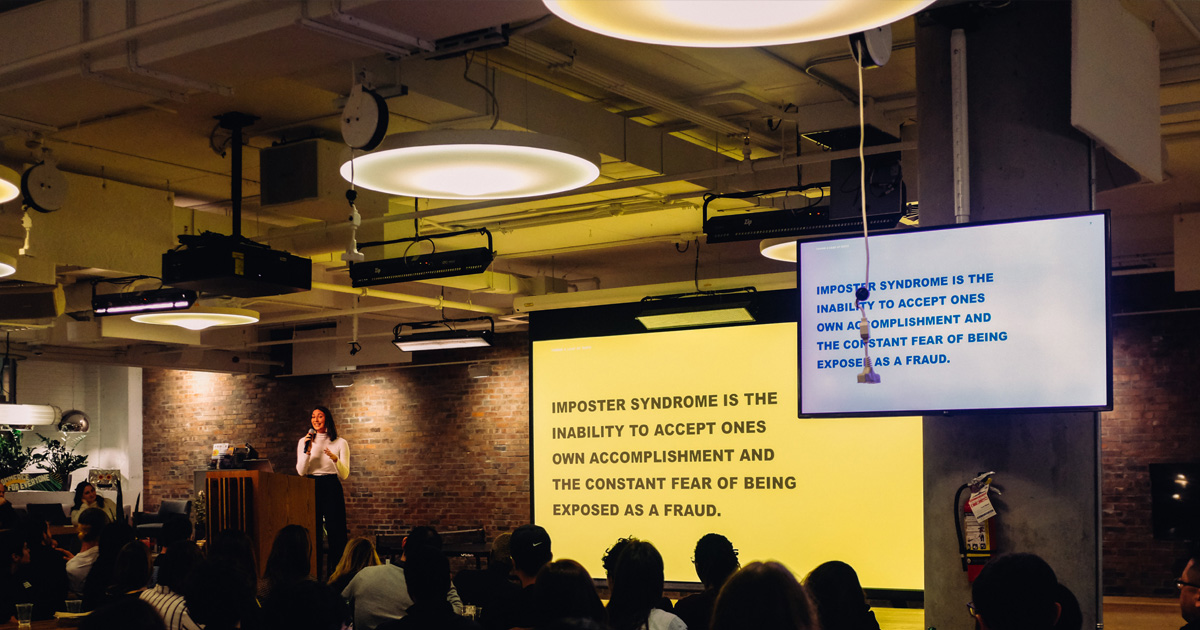
Quick summary: Virtual classroom training combines live instruction with digital tools to deliver flexible, cost-effective learning. Key benefits include significant cost savings compared to in-person sessions, flexible scheduling across time zones, interactive features that boost engagement, consistent training across locations, and easy scalability for growing teams.
Virtual classroom training isn't new, but it's no longer the backup plan either. What started gaining serious traction during the pandemic has since become a deliberate, long-term strategy for organisations that need to train people effectively – whether they're in the same building or spread across continents.
The reason is straightforward: when done well, virtual classroom training delivers results that match or exceed in-person sessions, at a fraction of the cost and logistical effort. But 'when done well' is the key phrase. The format matters. The tools matter. The instructional design matters. And understanding the genuine advantages – not just the marketing claims – helps you make better decisions about how to train your teams.
Table of contents
- What is virtual classroom training?
- Key benefits of virtual classroom training
- Virtual classroom training vs in-person training
- Virtual classroom training vs self-paced e-learning
- What to look for in a virtual classroom platform
- How Digital Samba supports virtual classroom training
- Frequently asked questions
This guide covers what virtual classroom training actually is, why it works, how it compares to alternatives, and what to look for when choosing a platform.
What is virtual classroom training?
Virtual classroom training is live, instructor-led learning delivered online. Participants and the instructor connect at a scheduled time through a video platform, and the session unfolds in real time – with presentations, discussions, questions, and group activities.
It's not the same as self-paced e-learning, where someone works through pre-recorded modules on their own schedule. The defining feature of virtual classroom training is that it's synchronous: everyone is there at the same time, and the instructor can adapt the session based on how the group responds.
A typical virtual classroom session includes:
- Live video and audio between instructor and participants
- Screen sharing for presentations and demonstrations
- Breakout rooms for small-group discussions or exercises
- Interactive tools like polls, quizzes, and shared whiteboards
- Chat for questions and side discussions
- Recording for participants to review later
Think of it as a traditional classroom experience delivered through a screen, but with digital tools that can actually make certain types of interaction easier than they are in a physical room.
Key benefits of virtual classroom training
Let's look at the specific advantages, and why they matter for organisations investing in training.
Significant cost savings
In-person training is expensive. Venue hire, travel, accommodation, catering, printed materials, and the time people spend away from work all add up quickly. Industry research consistently shows that moving training online can cut costs significantly – IBM, for example, found that up to 40% of its classroom training costs were spent on travel alone. Studies from Training Industry suggest organisations typically save 50–70% on training-related expenses when shifting from in-person to virtual delivery.
For companies running regular training programmes – onboarding, compliance, skills development – those savings compound. A global company that previously flew regional managers to headquarters for quarterly training can now deliver the same content virtually, saving tens of thousands per year.
The savings aren't just financial. Brandon Hall Group's research found that e-learning requires 40–60% less employee time than equivalent classroom sessions, which means less time away from productive work.
Flexibility without sacrificing structure
One of the most practical benefits is scheduling flexibility. Participants join from wherever they are – their office, their home, a co-working space – without needing to travel. Sessions can be scheduled to work around existing commitments, and for global teams, multiple sessions can cover different time zones.
At the same time, virtual classroom training keeps the structure that makes instructor-led learning effective. There's a set start and end time, a clear agenda, and a facilitator guiding the session. It's not a 'watch whenever you feel like it' experience – it's a committed learning event.
This balance between flexibility and structure is one of the main reasons the format works well for busy professionals who can't afford to block out entire days for training.
Higher engagement through interactive tools
A common concern about virtual training is that people will zone out. And that's a valid worry. A 2025 study of over 660 L&D professionals found that 72% cited learner engagement as their top challenge with virtual instructor-led training. If a session is just someone talking over slides for 90 minutes, attention will drop.
But that statistic reflects a design problem, not a format problem. When sessions are built around interaction rather than presentation, the results look very different.
Breakout rooms let you split participants into smaller groups for discussions, case studies, or problem-solving exercises. Research consistently shows that small-group interaction improves retention and deepens understanding.
Polls and quizzes check comprehension in real time. Instead of waiting for a test at the end, the instructor can gauge understanding throughout the session and adjust accordingly.
Shared whiteboards allow collaborative brainstorming and visual note-taking. Participants contribute ideas visually, which works particularly well for creative and strategic topics.
Chat and Q&A give quieter participants a way to ask questions without interrupting the flow. Many learners who wouldn't raise their hand in a physical room will type a question in chat.
The key is frequency. Best practice suggests engaging participants every 10–15 minutes with some form of interaction – a poll, a chat prompt, a breakout activity. Sessions should stay under 90 minutes, include breaks, and vary the format between presentation, discussion, and hands-on activity.
When these tools are used with intention, virtual sessions can be more interactive than in-person ones. But it takes deliberate instructional design, not just access to the right features.
Consistent training across locations
For organisations with teams in multiple cities or countries, consistency is a real challenge. Different trainers, different materials, different interpretations of the same content – it's easy for the message to drift.
Virtual classroom training makes it possible to deliver exactly the same session to every team, with the same instructor and the same materials. Whether someone joins from London, Berlin, or Singapore, they get the same experience.
This is especially important for onboarding (new hires in every location receive the same introduction), compliance training (regulatory content is delivered consistently, reducing the risk of gaps), leadership development (strategic messaging stays aligned across regions), and product training (sales and support teams learn the same features and positioning).
Scalability for growing teams
Adding more participants to a virtual session is far simpler than expanding a physical training room. Most platforms can scale from a dozen participants to several hundred without significant changes to the setup.
This makes virtual classroom training particularly practical for organisations going through rapid growth, seasonal hiring, or mergers where large groups need training quickly.
Session recordings for review and catch-up
When sessions are recorded, participants can revisit complex topics at their own pace. This is a genuine advantage over physical classrooms, where once a session ends, the content is gone.
Recordings also solve the attendance problem. If someone can't make the live session – due to a conflict, illness, or time zone issue – they don't miss out entirely. The content is still accessible.
For organisations, recordings create a growing library of training content that can be reused, referenced, and repurposed.
Measurable results through analytics
Virtual platforms provide data that physical classrooms simply can't match. Attendance tracking, engagement metrics (poll responses, chat activity, breakout room participation), quiz scores, and session duration all give trainers concrete insight into what's working and what isn't.
This data turns training from a 'we hope it worked' exercise into a measurable process. Over time, you can identify which topics need more time, which formats drive the most participation, and which sessions have the highest drop-off rates.
Accessibility and inclusivity
Virtual classrooms remove physical barriers that can exclude people from training. Participants with mobility limitations don't need to travel to a venue. Captioning and transcription tools make sessions accessible to people who are deaf or hard of hearing. Screen reader compatibility opens up training to visually impaired learners. And because sessions can be recorded, anyone who needs more time to process information can revisit the material at their own pace. AI-powered tools for teachers support this by recommending resources, tracking learner performance, and adapting content automatically.
For organisations with diversity and inclusion commitments – or those subject to accessibility legislation – this is a meaningful benefit that physical classrooms struggle to match.
Broader collaboration across geographies
Virtual classrooms bring together people who would rarely share the same physical room. Teams from different regions can exchange experiences, compare approaches, and learn from each other without anyone booking a flight.
This diversity of perspective often enriches the discussion. A compliance training session where participants from different countries share how regulations apply in their context is more valuable than one where everyone has the same local view.
Virtual classroom training vs in-person training
Neither format is universally better. The right choice depends on your goals, your audience, and the content.
| Factor | Virtual classroom | In-person training |
|---|---|---|
| Cost | Significantly lower (no venue, travel, catering) | Higher, especially for distributed teams |
| Scheduling | Flexible – participants join from anywhere | Requires coordinating travel and availability |
| Consistency | Same content delivered identically across locations | Varies by trainer and venue |
| Engagement | Interactive tools (polls, breakout rooms, chat) – requires intentional design | Natural in-room dynamics and body language |
| Networking | Structured via breakout rooms, less spontaneous | Organic networking during breaks and social events |
| Hands-on practice | Limited for physical skills (lab work, machinery) | Essential for physical or tactile training |
| Scalability | Easily scales to hundreds | Limited by room capacity and logistics |
| Recording | Sessions can be recorded and reviewed | Rarely recorded |
| Accessibility | Strong – removes physical barriers, supports captioning | Depends on venue facilities |
When in-person works better: Hands-on skills training (medical procedures, equipment operation), high-stakes team building, and situations where physical presence creates irreplaceable value.
When virtual works better: Knowledge-based training, compliance, onboarding, leadership development, product training, and any scenario where participants are geographically distributed.
Most organisations today find that a blended approach works best – using virtual sessions for knowledge transfer and in-person events for relationship building and hands-on practice. Industry research increasingly supports this: blended learning is now considered best practice rather than a compromise, combining the cost efficiency of virtual delivery with the interpersonal depth of face-to-face sessions.
Virtual classroom training vs self-paced e-learning
These two formats are complementary, not competing. They serve different purposes.
Virtual classroom training is live, instructor-led, and interactive. It works best when discussion, real-time feedback, and group dynamics add value – complex topics, detailed discussions, skills that benefit from live practice and coaching.
Self-paced e-learning is pre-recorded and on-demand. It works best for standardised content that doesn't require discussion – compliance basics, software tutorials, factual knowledge that learners can absorb independently.
The key difference is the human element. Virtual classrooms allow questions, clarifications, and the kind of spontaneous insight that only comes from live conversation. Self-paced learning is efficient but solitary.
For most organisations, the answer isn't one or the other. It's using each format where it adds the most value.
What to look for in a virtual classroom platform
If you're evaluating platforms for virtual classroom training, here are the features that matter most.
-
Video and audio quality is the foundation. If participants can't hear the instructor clearly or the video lags, everything else falls apart. Look for HD video, echo cancellation, and stable performance across different internet speeds and devices.
-
Interactive tools should include breakout rooms, screen sharing, polls, and chat at a minimum. Shared whiteboards and collaborative notes add significant value for workshop-style sessions. The easier these tools are to use during a live session, the more likely your instructors will actually use them.
-
Recording and on-demand access extend the value of every training event. Look for platforms that make recording simple and provide easy access to stored content.
-
Security and data protection matter if your training involves personal data and your participants include EU residents. Your platform needs to be GDPR-compliant, with end-to-end encryption, EU data hosting, and clear data processing agreements.
-
Custom branding is important for organisations embedding training into their own products or platforms. Your training environment should look like yours, not like a third-party tool your participants need to learn separately.
-
Analytics and reporting give you data on attendance, engagement, and completion to measure training effectiveness. Look for built-in analytics dashboards or easy integration with your existing LMS or reporting tools.
How Digital Samba supports virtual classroom training
Digital Samba is built for exactly this kind of use case. As a WebRTC-based video platform, it can be embedded directly into your own website, LMS, or application – giving your learners a branded, consistent experience without redirecting them to a separate tool.
What sets Digital Samba apart:
- Embeddable by design – not a standalone app, but a video API/SDK that lives inside your platform
- Full white-labelling – your branding, your domain, your user experience
- GDPR-compliant by design – built and hosted entirely in the EU on EU-owned infrastructure, with end-to-end encryption and no US hyperscaler dependencies
- 20+ years in video conferencing – Digital Samba has been building video technology since 2003
For training-specific features, the platform includes breakout rooms, shared whiteboards, live polls and Q&A, session recording with on-demand playback, screen sharing, and role-based access controls for instructors and learners.
Whether you're running employee onboarding, compliance training, or a full virtual academy, Digital Samba gives you the tools without the technical complexity.
For a comparison with other platforms in the education space, see our Digital Samba vs Lessonspace comparison. For setup guidance, check out how to set up a virtual classroom.
Frequently asked questions
Virtual classroom training is live, instructor-led learning that happens online through a video platform. Everyone joins at the same time and interacts in real time through video, audio, chat, polls, and breakout rooms. It's structured like a physical classroom but accessed remotely.
The biggest benefits are lower costs (no travel or venue expenses), flexible scheduling for distributed teams, consistent delivery regardless of location, built-in engagement tools, session recordings for catch-up, and analytics that let you measure what's actually working.
Virtual classroom training happens live with an instructor and other participants. E-learning is typically self-paced, with pre-recorded content you work through on your own. Virtual classrooms are better for topics that benefit from discussion and live feedback. E-learning works well for standardised, factual content. Most organisations use both.
At minimum: a computer or tablet with a webcam and microphone, a stable internet connection, and access to the platform. For a more professional setup, consider an external webcam, a dedicated microphone, proper lighting, and a quiet space. Instructors benefit from a second monitor to manage the session while presenting.
Design for interaction, not just presentation. Use polls every 10–15 minutes, breakout rooms for group activities, and chat-based Q&A throughout the session. Keep sessions under 90 minutes, include breaks, vary the format (switch between presentation, discussion, and hands-on activity), and address participants by name. The biggest mistake is treating a virtual session like a webinar.
It depends on your priorities. For embeddable, white-label virtual classrooms with GDPR compliance and EU data hosting, Digital Samba is designed for this use case. For simple video calls with basic features, Zoom or Google Meet work. For LMS-integrated learning, check platforms like Moodle or Canvas with video add-ons. The key is matching features to your training objectives and compliance requirements.
Ready to build a better virtual classroom? Digital Samba gives you HD video, breakout rooms, whiteboards, polls, recording, and full white-labelling – all embeddable in your own platform, fully GDPR-compliant. Start for free with 10,000 participation minutes, or talk to our team about your training programme.
Share this
You May Also Like
These Related Stories

Strategies for Successful Distance Learning

Virtual Classroom Education: How Distance Learning Works