
Share this
by Dušan Savić on November 26, 2026
Available from 20 November, 2026
Introducing Digital Samba 652! Moderators can now mark the correct answer in polls, a new room setting keeps participant names visible on every video tile, and any standard YouTube link can be added through Embed Content without converting it first. Read on to discover what is new.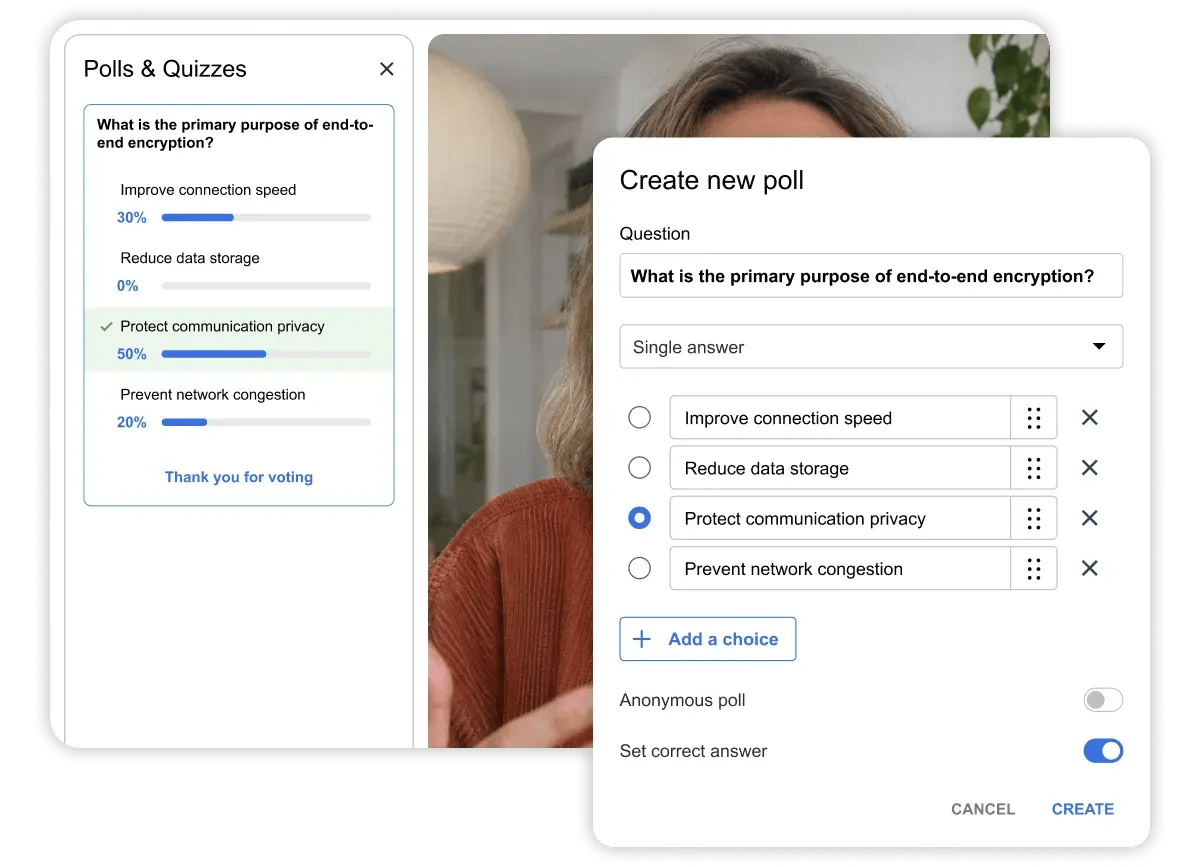
The people in this image are AI-generated.
New Features
- Mark the correct answer in polls
Moderators can now mark the correct answer when creating a poll. Once the poll ends and the results are shared, participants see which answer was correct. - Always show names on video tiles
A new room setting shows participant names on every video tile at all times, instead of only on hover. It is available in the room settings and through the REST API, and existing rooms keep their current behaviour. - Paste any YouTube link
Any standard YouTube link can now be added through Embed Content, including youtube.com/watch, youtu.be and share links, without converting it first. The video title is filled in automatically and can be edited before saving. - Clear all Q&A from the panel
Moderators with the Clear content permission can now clear all questions straight from the Q&A panel, the same way as chat.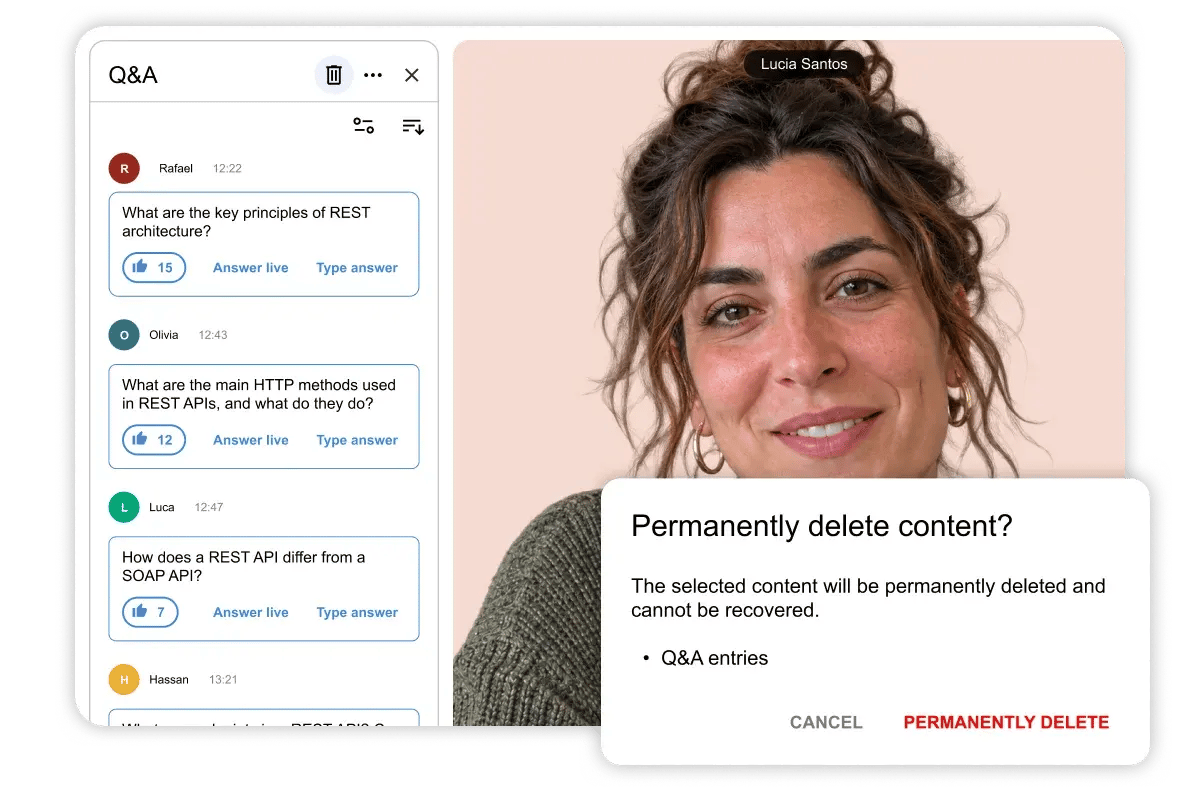
Clear all questions straight from the Q&A panel
The people in this image are AI-generated. - Drawing panel in picture-in-picture
The Drawing panel button is now available in picture-in-picture mode, and the overlay whiteboard shows other participants' cursors, so it is easier to follow who is pointing at or drawing what. - Asked to unmute tooltip
In the participant list, the icon showing that a participant was asked to unmute now has the tooltip "Asked to unmute", so its meaning is clear.
Fixed
- Camera after promotion to moderator
A participant who was allowed audio-only broadcasting and then promoted to moderator can now use their camera straight away. - Picture-in-picture with no tiles
The picture-in-picture window no longer turns black when content is open and no participant tiles are shown. It now shows a placeholder message instead.

