
Share this
by Dušan Savić on October 14, 2026
Available from 9 October, 2026
Introducing Digital Samba 649! Chosen roles can now be hidden from recordings while everyone still sees each other live, and moderators can mute or turn off cameras for a whole role in one action. Read on to discover what is new, and do not forget to check the latest updates in Digital Samba Free.
The people in this image are AI-generated.
New Features
- Hide tiles in recordings by role
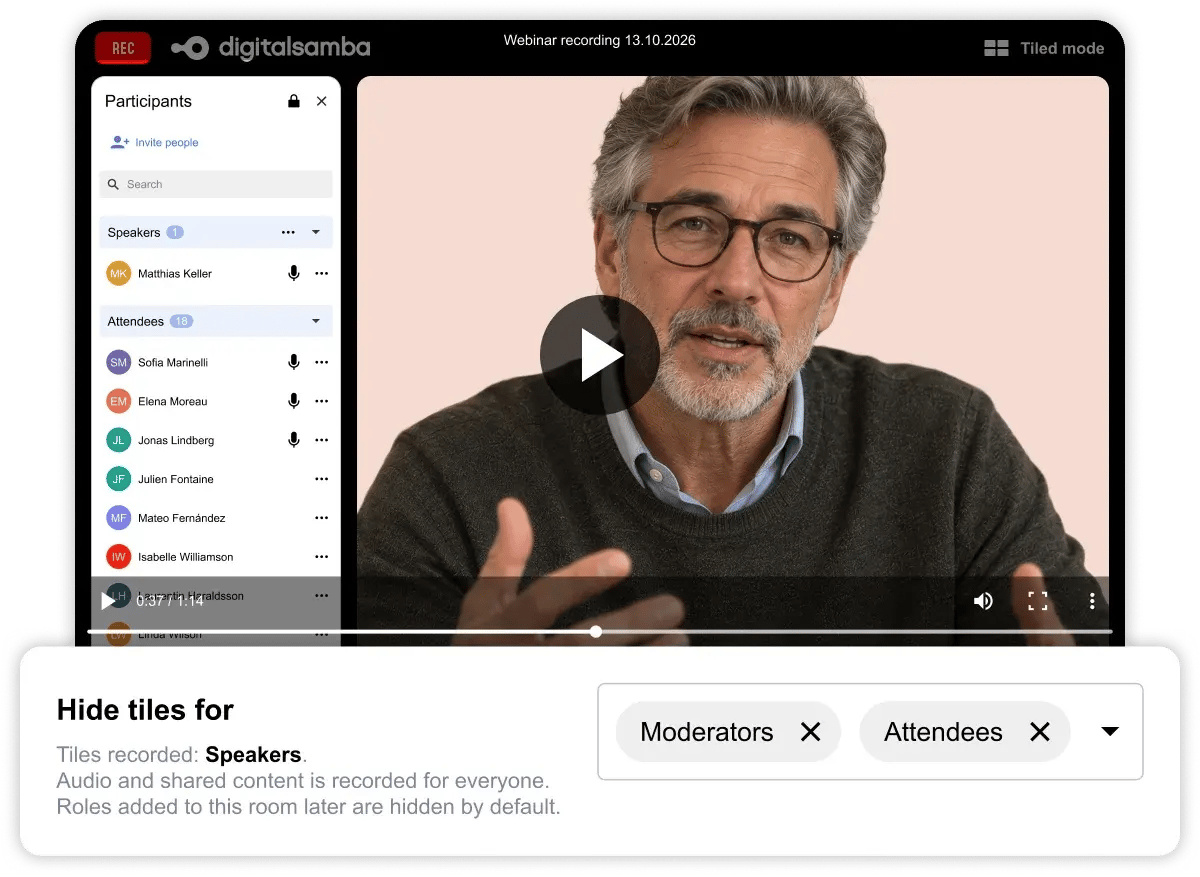
Turn on Hide tiles in recordings, then use the new Hide tiles for setting to choose which roles are left out of the recording video. For example, hide moderators and attendees so only the speakers are recorded. Audio and shared content are still recorded for everyone. - Mute or turn off cameras by role
Moderators can now mute everyone in a role, or turn off their cameras, in one action from the role's three-dot menu. Other roles are not affected, and broadcast permission stays as it is.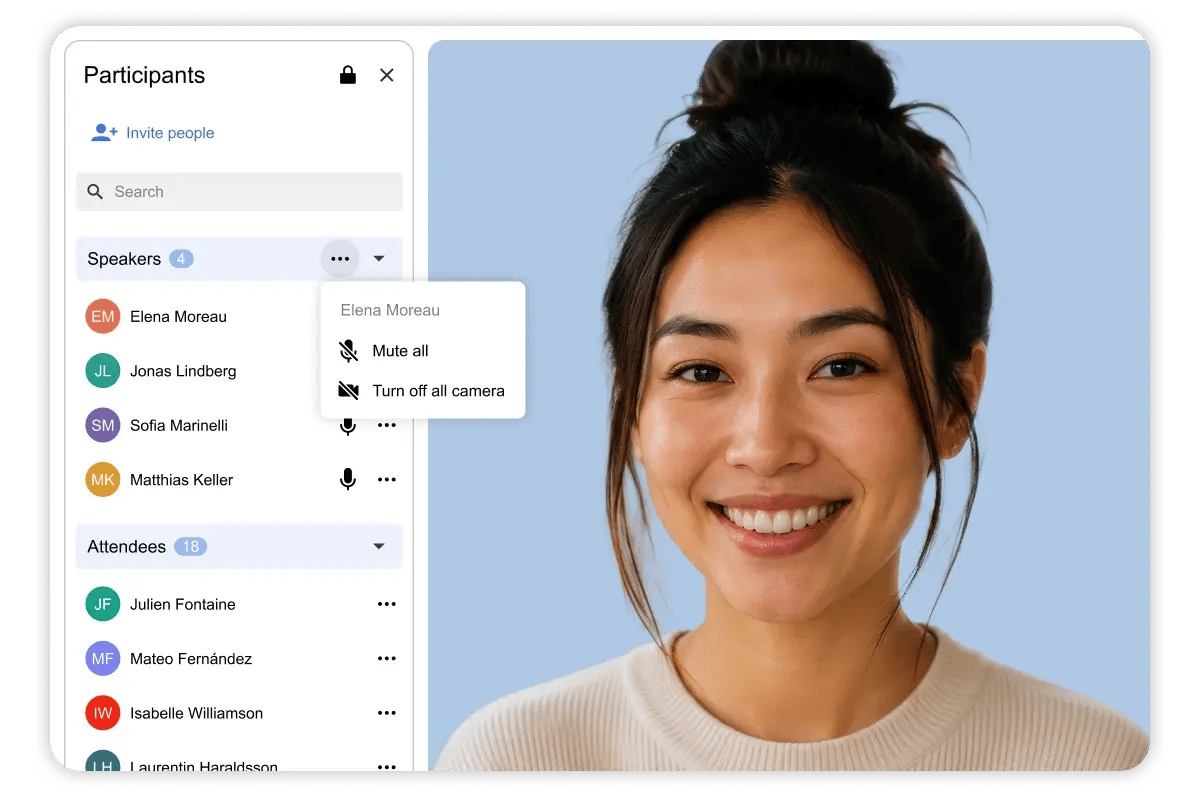
Mute or turn off cameras for a whole role at once
The people in this image are AI-generated. - Safer ban duration
When removing and banning a participant, the ban duration now defaults to 5 minutes, and Permanently has moved to the end of the list to prevent accidental permanent bans. - Recording bookmarks through the SDK
A new SDK method lets your app add a bookmark to the active recording, alongside the API endpoint added in the previous release. - Unmute by default in breakout rooms
When attendees are given broadcast permission in breakout rooms, their camera and microphone now default to on. They can still turn either off at any time.
Fixed
- Admitting from the lobby
A participant admitted during Admit all no longer stays stuck in the moderators waiting list, where further Admit clicks had no effect.
Digital Samba Free
- Create contact groups and add a whole group to a call in one go, with each contact’s groups shown in your contact list and available as a filter.
- Turn on public registration to get a shareable link, so people you have not invited individually can register for a call.
- A new Send invitations to participants toggle lets you save a call without emailing participants, so you can share the link yourself first.
- Calls can now be scheduled or moved to a past date and time.
- The Crop event image window now includes a zoom slider, a reset button and helper text.

