

In early 2024, Twilio announced it would end-of-life its Programmable Video API by December 2026 - a decision that caught many developers and businesses off guard. The announcement triggered a wave of migration planning across the industry. Then, in October 2024, Twilio reversed course, confirming that Twilio Video would remain a standalone product with continued investment.
But the damage was already done - not to Twilio's product, but to the confidence many teams had in relying on a single vendor for something as critical as embedded video. The EOL scare revealed a hard truth: when video is just one product in a vendor's large portfolio, it can be deprioritised or cut at any time.
That experience prompted many development teams to evaluate their options. What they found was that alternatives like Digital Samba Embedded offered a fundamentally different approach - a pre-built, low-code video conferencing solution that dramatically reduces integration complexity. Whether you're actively looking to switch from Twilio or simply exploring what's available, this guide walks you through how Digital Samba compares and how to get started.
Table of contents
- Why choose Digital Samba Embedded over Twilio Video?
- How to get started with Digital Samba (for Twilio Video users)
- Prerequisites – signup on Digital Samba
- Installing and initialising the SDK
- Configure rooms
- Customisation
- Next steps
Why choose Digital Samba Embedded over Twilio Video?
Choosing between Twilio Video and Digital Samba Embedded comes down to what matters most to your team: full control over every low-level detail, or a faster path to a production-ready video experience. Here's where Digital Samba stands out.
See a side-by-side overview - compare Twilio and Digital Samba's embedded video features for your next project.
Low-code approach
Digital Samba Embedded distinguishes itself from Twilio by offering a user-friendly low-code approach for quick and easy integration of enterprise-grade video conferencing. Behind this simplicity, Digital Samba automatically manages video infrastructure, scaling, transmission protocols, and quality, eliminating the need for specialised video knowledge.
With Twilio Video, you build the UI, manage room logic, handle participant events, and wire up recording workflows yourself. With Digital Samba, the core video experience, including the participant interface, is pre-built. You embed it with a few lines of code and customise from there.
GDPR compliance
If you valued Twilio's dedication to complying with GDPR, you'll find our approach aligns with the same commitment to securing user data under GDPR regulations. Designed from the ground up, Digital Samba ensures GDPR compliance, prioritising security and peace of mind for you and your customers. All data processing and hosting is handled within the EU.
Secure and feature-rich
Built on WebRTC technology, Digital Samba guarantees secure, HD-quality video calls in-browser. The solution includes TLS and end-to-end encryption and seamless integration with existing WebRTC workflows, ensuring a robust video experience for applications and websites.
A dedicated video company
This is where the Twilio EOL scare becomes relevant context, even though the decision was reversed. Twilio is a massive communications platform -video is one product among dozens. Digital Samba, on the other hand, has been focused exclusively on video conferencing for over two decades. Video isn't a side feature for us; it's the entire business.
That focus translates into faster feature development, deeper expertise, and a level of commitment to the product roadmap that a multi-product platform simply can't match. When your business depends on embedded video, choosing a vendor whose entire existence depends on it, too, is a form of risk management.
99.99% uptime
Digital Samba Embedded provides industry-standard 99.99% uptime. We ensure uninterrupted support for your mission-critical applications through robust infrastructure and vigilant monitoring.
Award-winning customer support
The G2-recognised support team at Digital Samba is available 24/7. We have a vast library of comprehensive documentation, how-to guides, and informative blogs to empower users, offering assistance for any queries or challenges.
Generous Starter plan
Digital Samba's Starter plan includes 10,000 free participation minutes per month, catering to a range of individual conferencing needs without financial strain. It also offers free 60-minute monthly cloud recordings - so you can evaluate the platform properly before committing.
Branding options
Enhance your video conferencing experience with Digital Samba's branding options. It allows customisation with a unique logo, brand colours, and virtual backgrounds. SDK customisation ensures brand consistency across communication platforms, enabling you to stand out.
Collaboration tools
Digital Samba Embedded stands out with built-in collaboration tools, including an interactive whiteboard, hand raise, group chat, and more, enhancing collaboration and interaction within your application. With Twilio Video, you'd need to build most of these features yourself or integrate third-party libraries. With Digital Samba, they come out of the box.
Discover the various features Digital Samba offers or test-drive Digital Samba here.
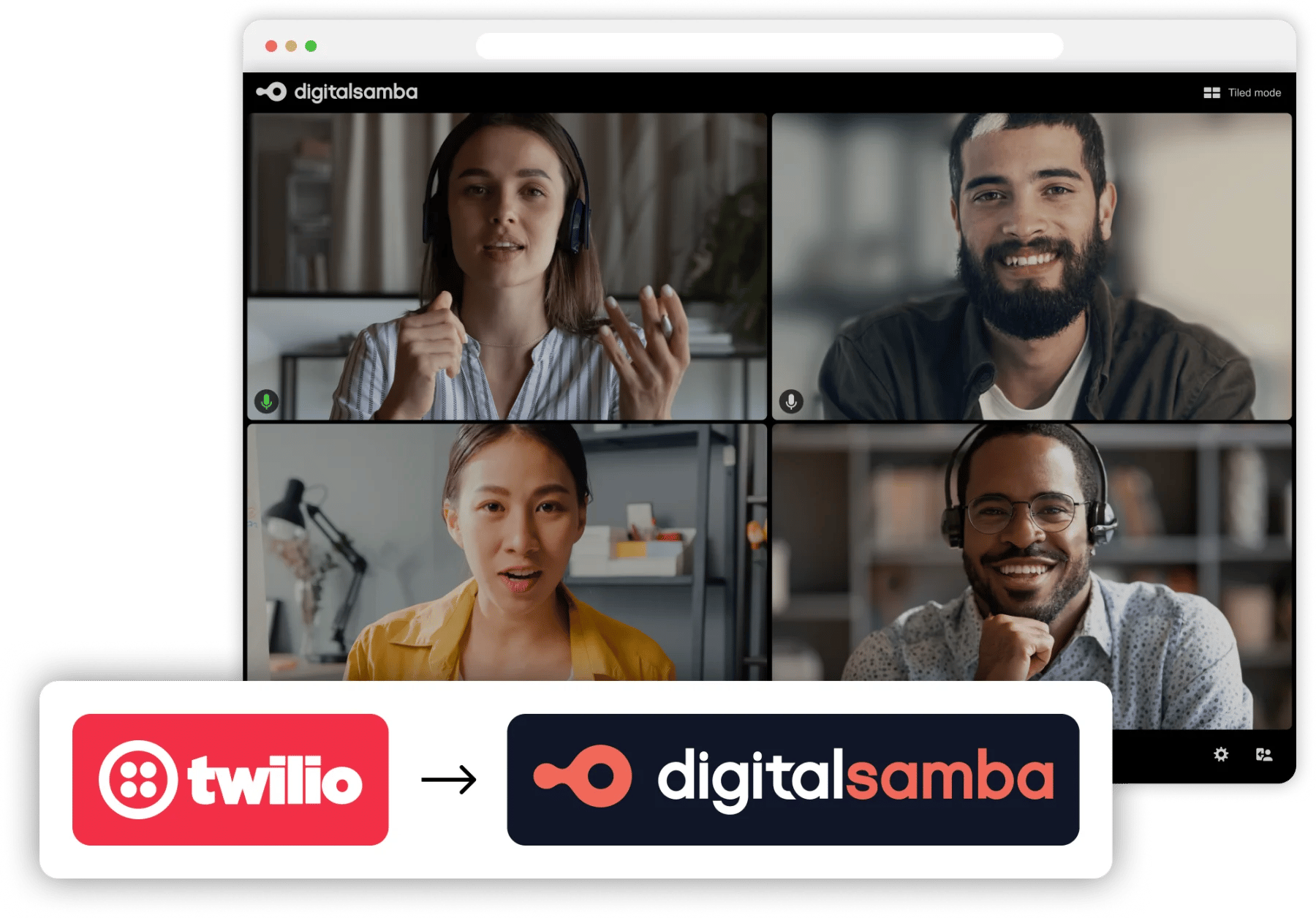
How to get started with Digital Samba (for Twilio Video users)
If you're coming from Twilio Video, the integration process with Digital Samba will feel refreshingly simple. Where Twilio requires you to build the video UI, manage tracks, and handle room state manually, Digital Samba provides a pre-built experience that you embed and control via SDK.
Follow these steps to integrate Digital Samba into your applications or websites:
1. Prerequisites – signup on Digital Samba
First, you need to create a Digital Samba account. Follow these steps to sign up on Digital Samba:
Step 1: Visit the Digital Samba sign-up page.
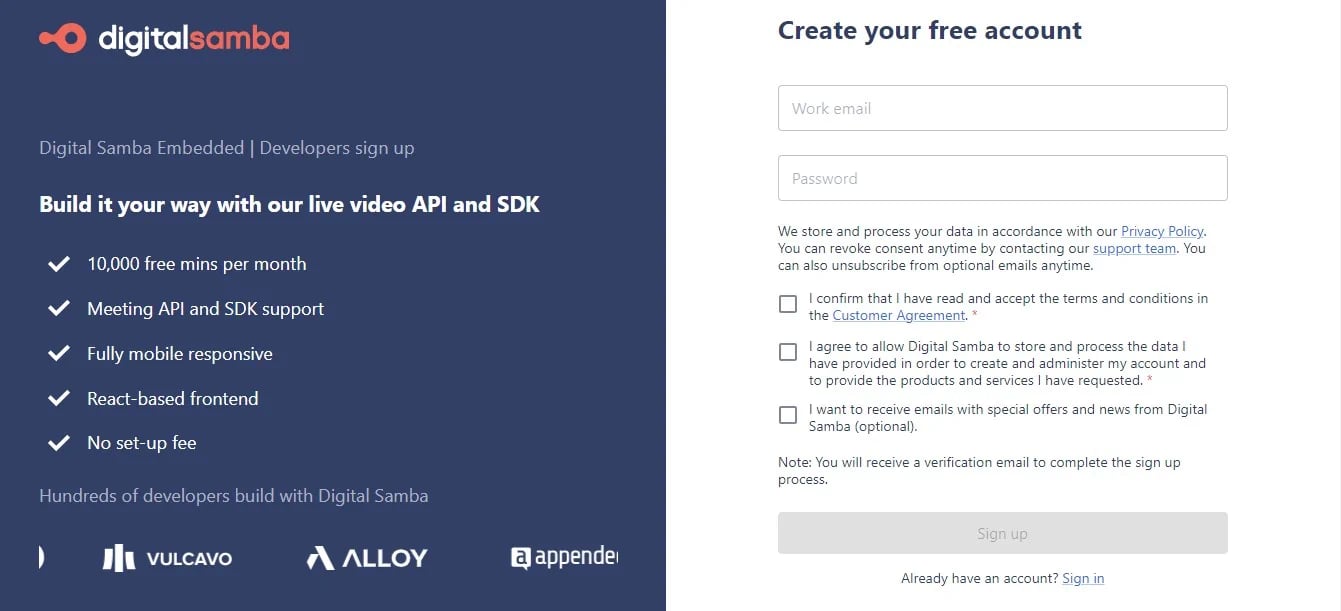
Step 2: Provide your work email address, select a secure password, and choose a unique subdomain that reflects your organisation or purpose for using Digital Samba.
With these basic details, your account is ready to go, allowing you to explore the platform's features and connect with the world.
2. Installing and initialising the SDK
Access your credentials post-sign-up by navigating to the 'Team' sidebar in your dashboard. Note down your unique TEAM_ID and DEVELOPER_KEY, which will be crucial for authorising API calls.
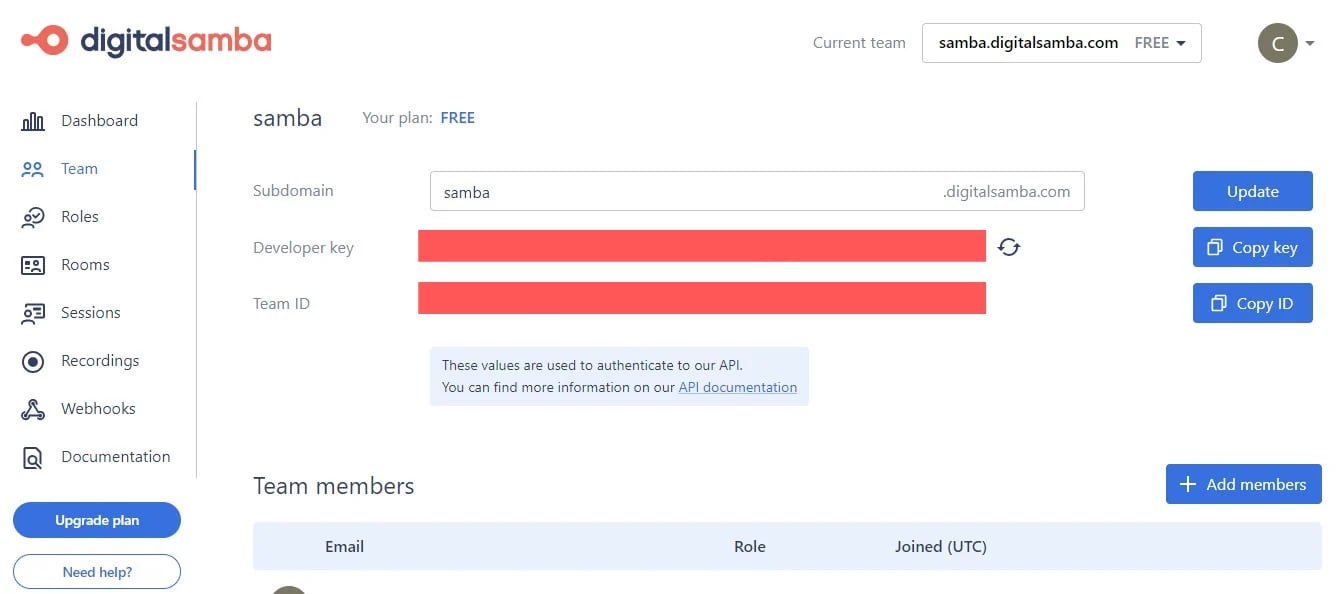
You can install the Digital Samba SDK via npm or by linking directly to a CDN:
To initialise the SDK, you can use the code snippet below (visit SDK docs for more initialisation options):
To join the call:
Compare this to Twilio Video, where you'd need to generate access tokens server-side, create a room via the REST API, and connect participants withTwilio.Video.connect(), manage local and remote tracks, and build the entire participant UI yourself. With Digital Samba, the participant experience is handled for you.
3. Configure rooms
Discover two efficient ways to configure rooms seamlessly with Digital Samba — through our intuitive dashboard or by leveraging our developer API and SDK.
- Configure rooms using dashboards: Explore our user-friendly dashboard to set up and customise video meeting rooms effortlessly. Refer to our step-by-step guide on How to Configure Rooms using Dashboard for a hassle-free configuration process.
- Configure rooms using API and SDK: Explore the capabilities of our well-documented REST API for room customisation and scalability. You can gain complete control over the participant experience by embedding real-time video using our lightweight video SDK. We explain how to Configure Rooms using developer API and SDK with detailed instructions.
4. Customisation
Once installed and initialised in the SDK, you can implement several video conferencing functionalities and customise the room experience. Look through the Digital Samba SDK methods to control your video conference experience.
For a more detailed and in-depth explanation of joining, managing, and customising your video conferencing on Digital Samba through the Dashboard, API, and SDK, please visit our comprehensive documentation and how-to guides.
Next steps
Whether you're migrating from Twilio Video or evaluating embedded video solutions for a new project, Digital Samba Embedded offers a faster, simpler path to production-ready video conferencing — without sacrificing the features, security, or reliability your users expect.
Ready to try it? Sign up for a free account with 10,000 participation minutes per month and see the difference a low-code approach makes. For enterprise needs or migration support, contact our sales team to discuss volume pricing and dedicated onboarding assistance.
Share this

Easy Steps to Integrate Video Call on Your Website
How to Embed a Video Conference Widget with the Digital Samba SDK

